



Go to Shopify Admin → Online Store → Themes
Click Customize on your active theme.
Open About Page Template
- Click the template selector at the top
- Select Pages
- Choose About page template
Now you can edit all About page sections and blocks.
About Page Sections
You can customize:
- Page banner
- About text content
- Animated text
- Video section
- Image with text
- Mission / Story section
- Feature cards
- Brand logo list
- Instagram gallery
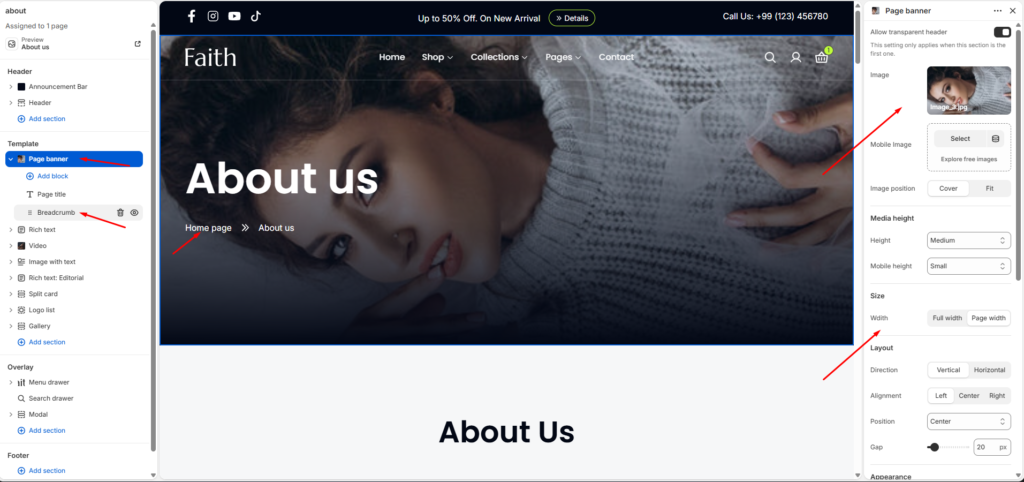
Page Banner Settings
Select Page banner section.
Available settings:
| Setting | Description |
|---|---|
| Image | Upload your about page banner image. |
| Mobile Image | Add a different image for mobile devices. |
| Image Position | Choose Cover or Fit image style. |
| Media Height | Adjust banner height on desktop. |
| Mobile Height | Adjust banner height for mobile. |
| Width | Select Full width or Page width. |
| Direction | Choose Vertical or Horizontal layout. |
| Alignment | Align content Left, Center, or Right. |
| Position | Control content placement. |
| Gap | Adjust spacing between banner elements. |
You can edit:
- Page title
- Breadcrumb visibility
- Banner content
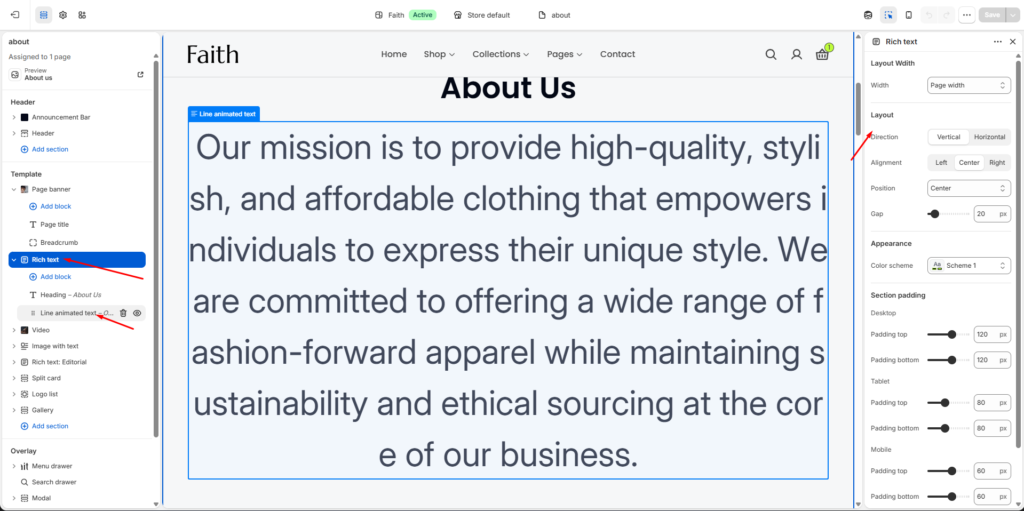
About Introduction Section
Select Rich text section.
Customize:
| Setting | Description |
|---|---|
| Width | Control content width. |
| Direction | Vertical or Horizontal layout. |
| Alignment | Text alignment. |
| Position | Content position. |
| Gap | Space between content blocks. |
| Color Scheme | Change background and text colors. |
Available blocks:
- Heading
- Animated text
- Text content
Use this section for your brand introduction, mission, or company message.
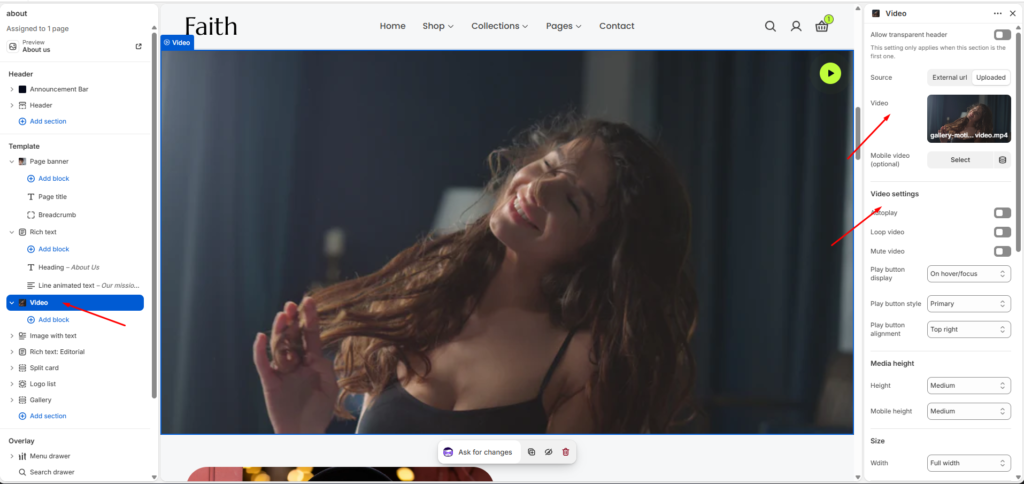
Video Section
Select Video section.
Settings include:
| Setting | Description |
|---|---|
| Video Source | Choose uploaded video or external video. |
| Video | Upload your video file. |
| Mobile Video | Add mobile optimized video. |
| Autoplay | Enable automatic video play. |
| Loop Video | Repeat video continuously. |
| Mute Video | Enable/disable sound. |
| Play Button Display | Control play button visibility. |
| Play Button Style | Change button appearance. |
| Play Button Alignment | Adjust button position. |
| Height | Desktop video height. |
| Mobile Height | Mobile video height. |
| Width | Select Full width or Page width. |
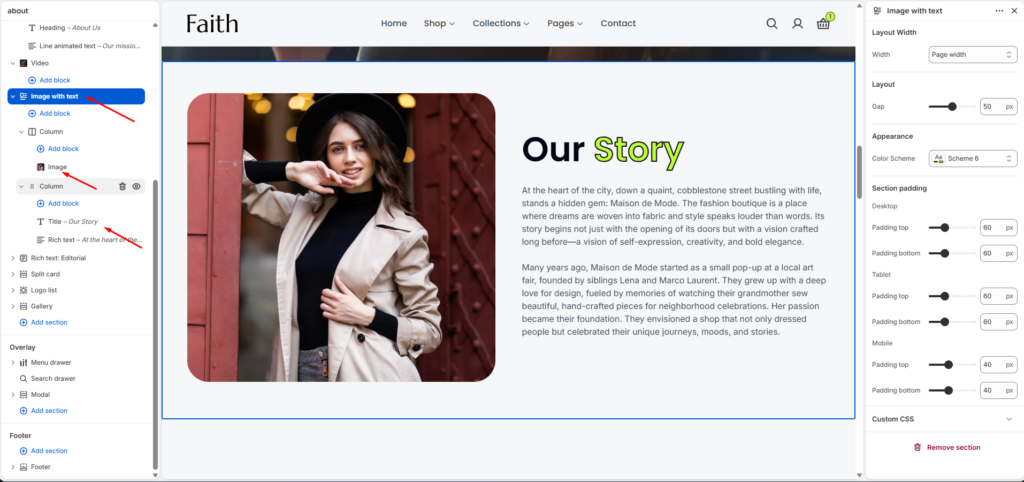
Image With Text Section
Select Image with text section.
Customize:
| Setting | Description |
|---|---|
| Width | Control section width. |
| Gap | Adjust image and text spacing. |
| Color Scheme | Change section colors. |
| Padding | Control section spacing. |
Blocks:
- Image
- Heading
- Text
You can update:
- Story image
- About heading
- Brand description
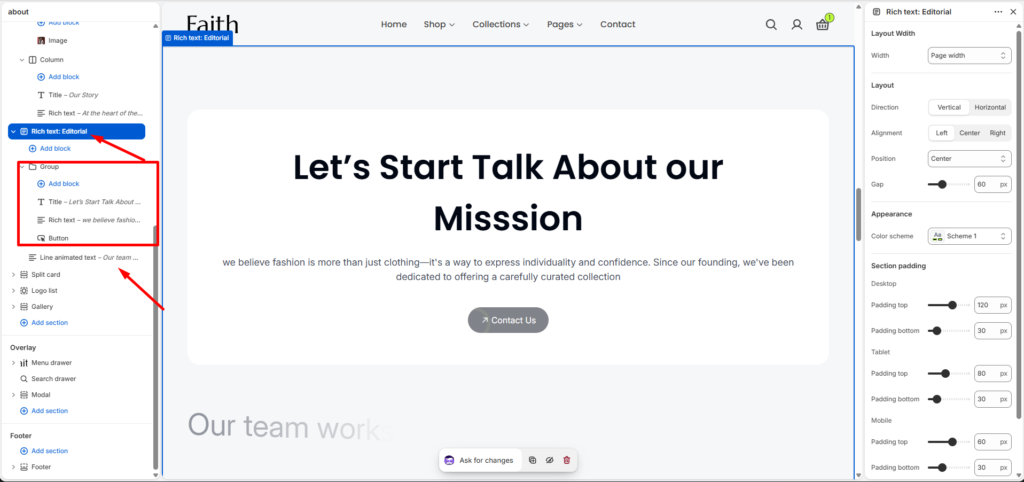
Mission / Call To Action Section
Select Rich text: Editorial section.
Options:
| Setting | Description |
|---|---|
| Width | Set container width. |
| Direction | Vertical / Horizontal. |
| Alignment | Align content. |
| Position | Set content placement. |
| Gap | Adjust spacing. |
| Color Scheme | Change colors. |
Blocks available:
- Title
- Rich text
- Button
Use this area for:
- Mission statement
- Brand message
- Contact button
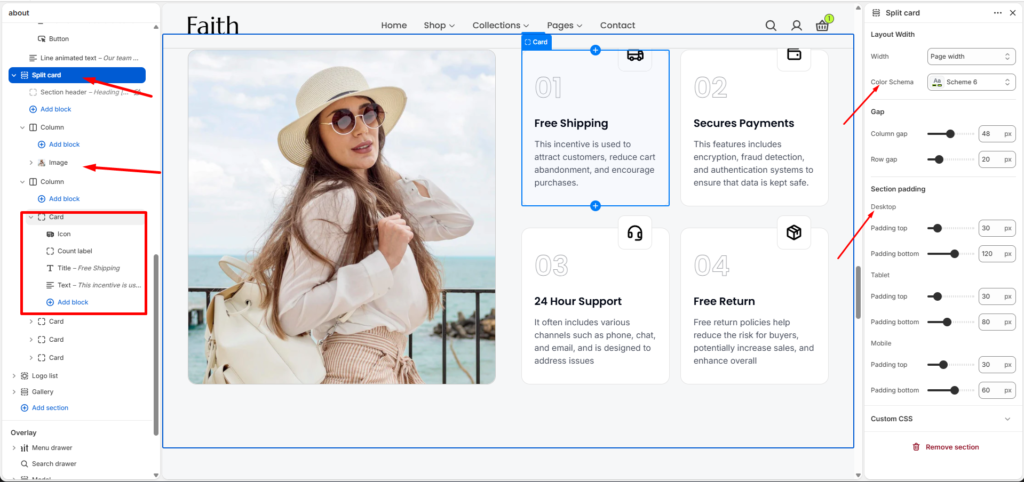
Split Card Section
Select Split card section.
Settings:
| Setting | Description |
|---|---|
| Width | Select layout width. |
| Color Scheme | Change style. |
| Column Gap | Space between columns. |
| Row Gap | Space between rows. |
| Padding Top | Top spacing. |
| Padding Bottom | Bottom spacing. |
Card blocks include:
- Icon
- Count label
- Title
- Text
Useful for:
- Free Shipping
- Secure Payment
- Customer Support
- Return Policy
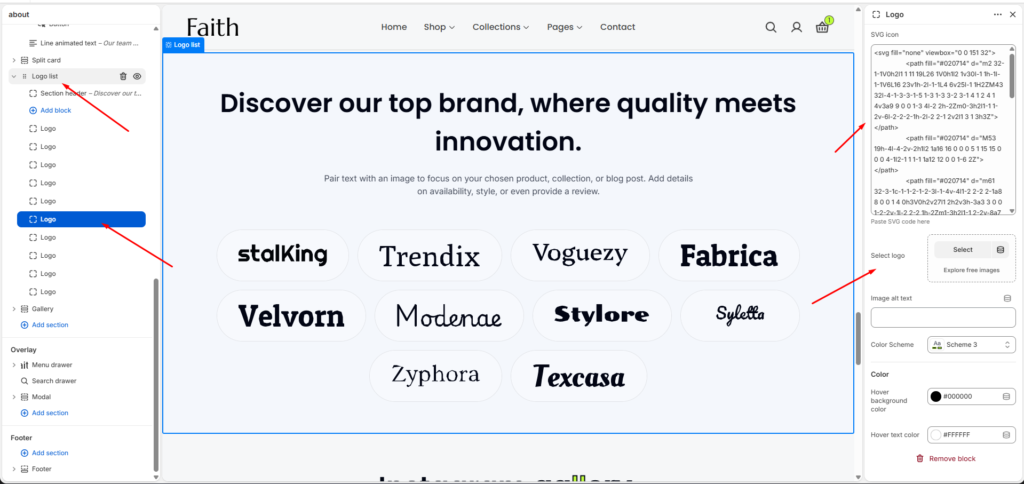
Logo List Section
Select Logo list.
Customize:
| Setting | Description |
|---|---|
| SVG Icon | Paste SVG logo code. |
| Select Logo | Upload brand logo image. |
| Image Alt Text | Add accessibility text. |
| Color Scheme | Change logo style. |
| Hover Background Color | Logo hover background. |
| Hover Text Color | Logo hover color. |
Add multiple logo blocks to display brand partners.
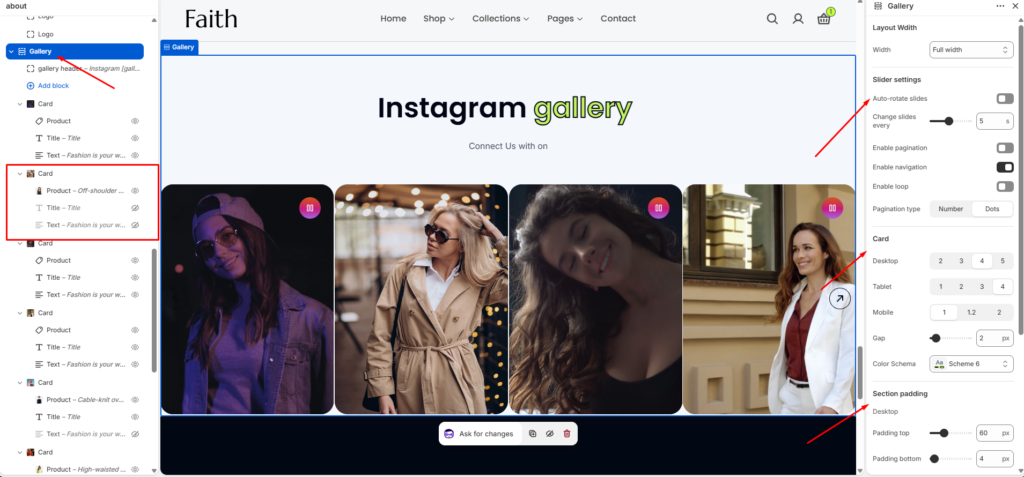
Instagram Gallery Section
Select Gallery section.
Settings:
| Setting | Description |
|---|---|
| Width | Full width or Page width. |
| Auto Rotate Slides | Enable automatic sliding. |
| Change Every | Set slider speed. |
| Pagination | Show slider pagination. |
| Navigation | Enable arrows. |
| Loop | Enable continuous slider. |
| Card Desktop | Number of items on desktop. |
| Card Tablet | Number of items on tablet. |
| Card Mobile | Number of items on mobile. |
| Gap | Space between images. |
| Color Scheme | Change design. |
Gallery cards include:
- Product
- Image
- Title
- Text
Save Your About Page
After completing customization:
- Check desktop and mobile preview
- Adjust spacing if needed
- Click Save
Your customized About page is ready.