Skip to content
Black Friday Sale
Exclusive Design & Shopify Themes Resources
Get Lifetime Deals
Home
Home
Products
Products
Pricing
Pricing
Support
Support
Unlock All-Access
Home
Products
Pricing
Support
Unlock All-Access
Hire Us
View Categories
Home
Docs
Faith
Quick Navigation
Theme Settings
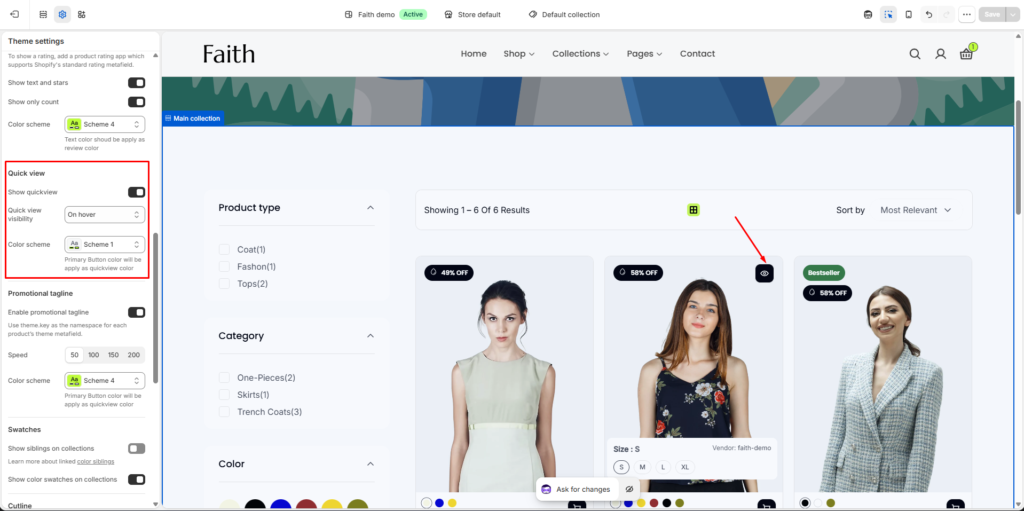
How to add quick view
How to add quick view
Go to
Admin > Online Store > Themes
.
Find the theme that you want to edit, and then click
Customize > Theme settings > Product cards
.
“Enable Show quickview”
Click
Save
.
Buttons
How to add siblings in product card