



How to Access the Pre-order Feature
- Go to Admin → Settings → Custom data
- Select Products
- Click Add definition
- Create a new product metafield
- Go to Admin → Products
- Select the product you want to enable preorder
- Configure inventory and metafield settings
- Save changes
The Pre-order feature allows customers to purchase products before they are available in stock. When enabled, the product page displays a Pre-order badge and the add to cart button changes to Pre-order.
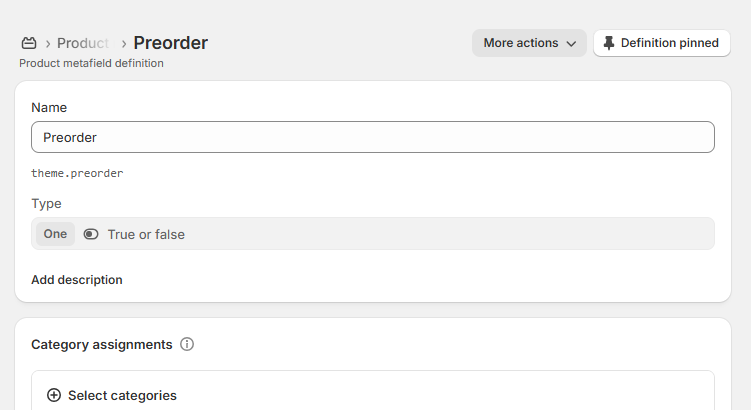
Pre-order Metafield Settings
| Settings | Description |
|---|---|
| Name | Enter metafield name. Example: Preorder. |
| Namespace and key | Connects the metafield with the theme functionality. Example: theme.preorder. |
| Type | Select True or false type. |
| True | Enables preorder functionality for the product. |
| False | Keeps the product as a regular product. |
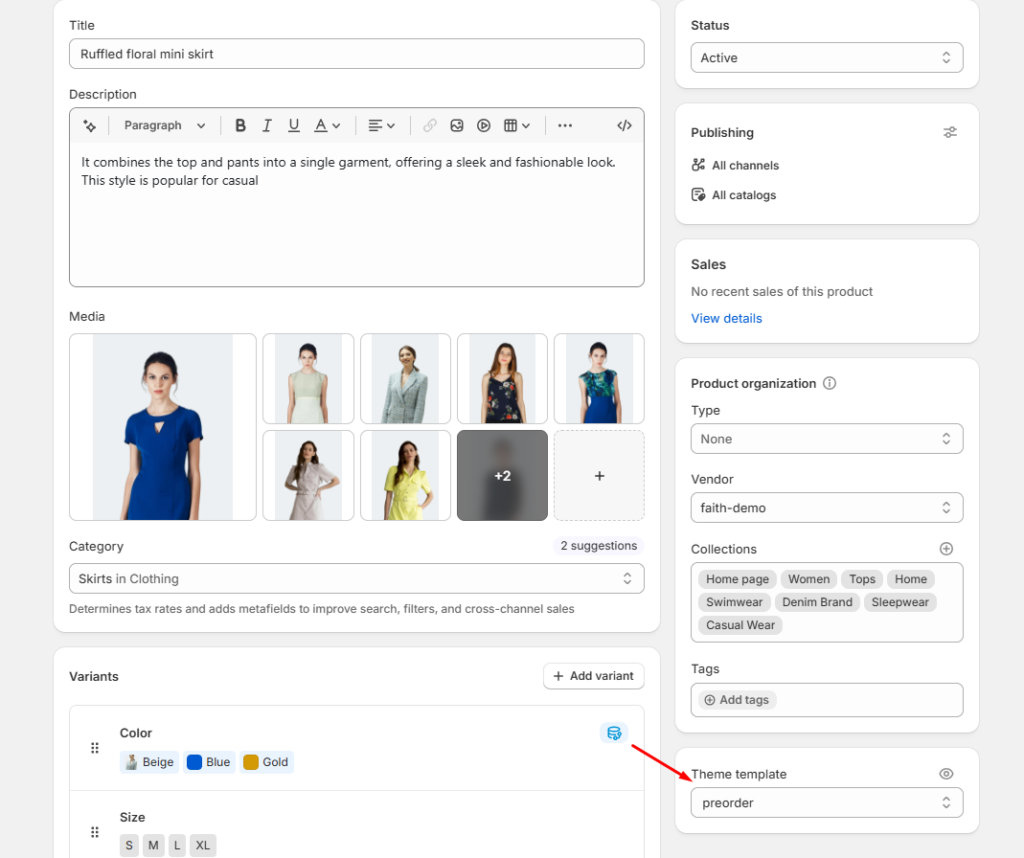
Product Pre-order Setup
| Settings | Description |
|---|---|
| Theme Template | Select the preorder product template from product settings. |
| Preorder Metafield | Set the preorder metafield value. |
| True Value | Displays preorder badge and preorder button on the product page. |
| False Value | Shows the default product purchase style. |
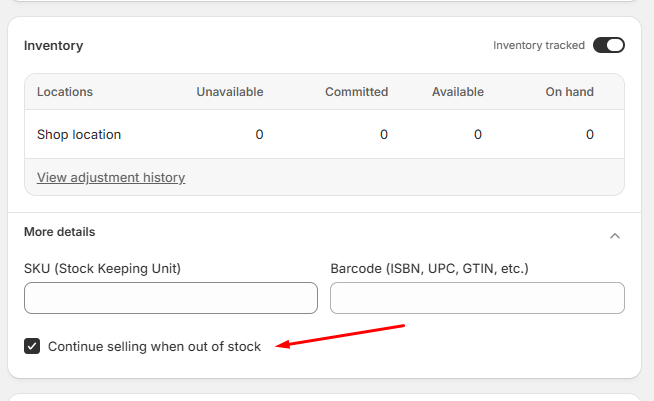
Inventory Settings
| Settings | Description |
|---|---|
| Inventory Tracking | Enable inventory tracking for the product. |
| Continue selling when out of stock | Allow customers to purchase even when inventory quantity is unavailable. |
| Stock Quantity | Product can continue receiving orders when stock reaches zero. |
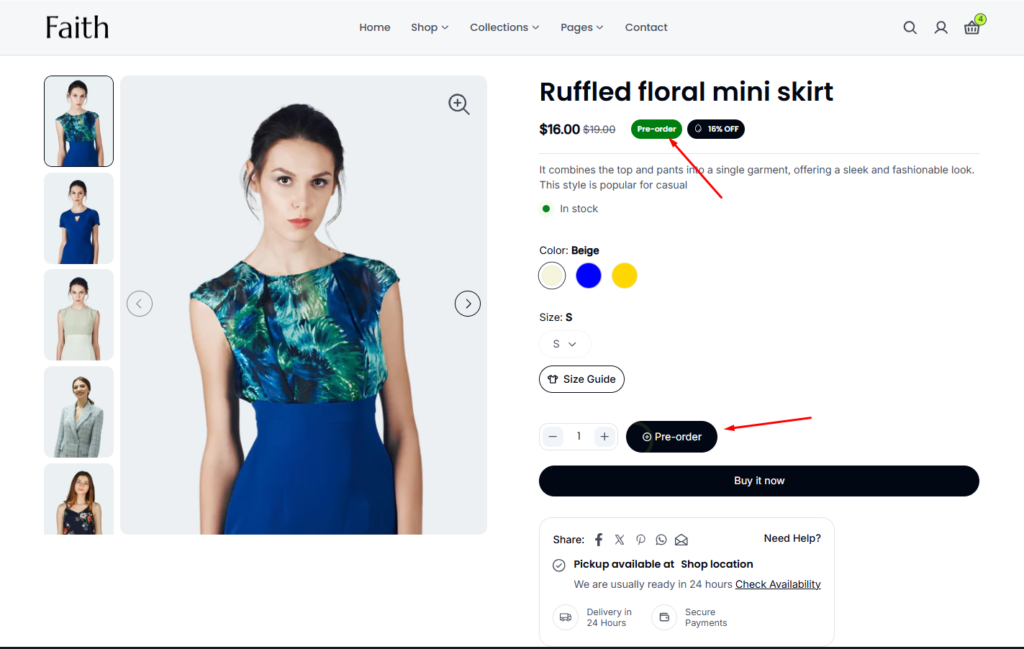
Product Page Display
| Settings | Description |
|---|---|
| Pre-order Badge | Shows a preorder label beside the product price. |
| Pre-order Button | Replaces the normal add to cart button with a preorder button. |
| Customer Purchase | Allows customers to place an advance order before the product is restocked. |
Example Setup
- Create metafield: Preorder
- Type: True or false
- Select product template: Preorder
- Enable: Continue selling when out of stock
- Set metafield: Preorder → True
Result:
Customers can buy products before inventory is available.
Pre-order badge appears
Add to cart button changes to Pre-order