- Go to Admin > Online Store > Themes.
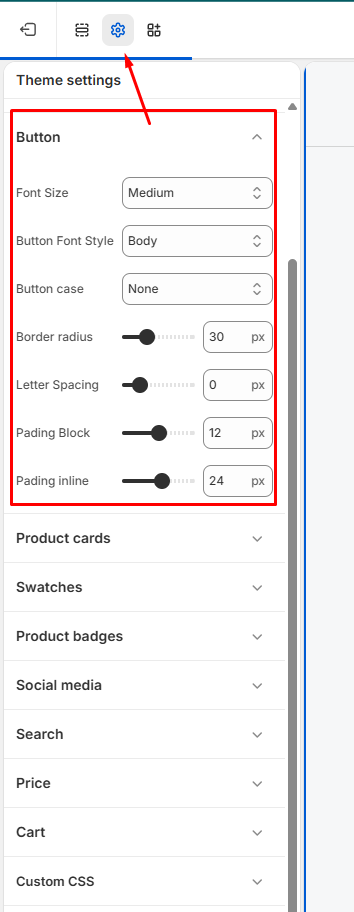
- Find the theme that you want to edit, and then click Customize > Theme settings > Buttons.
- Use range sliders to change the appearance of your button Font size, Border width, Border radius, and Letter spacing.
- Use dropdown options to change the appearance of your button Text transform and Font weight.
- Click Save.