



Go to Shopify Admin → Online Store → Themes
Click Customize → Open Default blog post template.
The blog post page contains:
- Article content
- Sidebar
- Comments
Sidebar Section
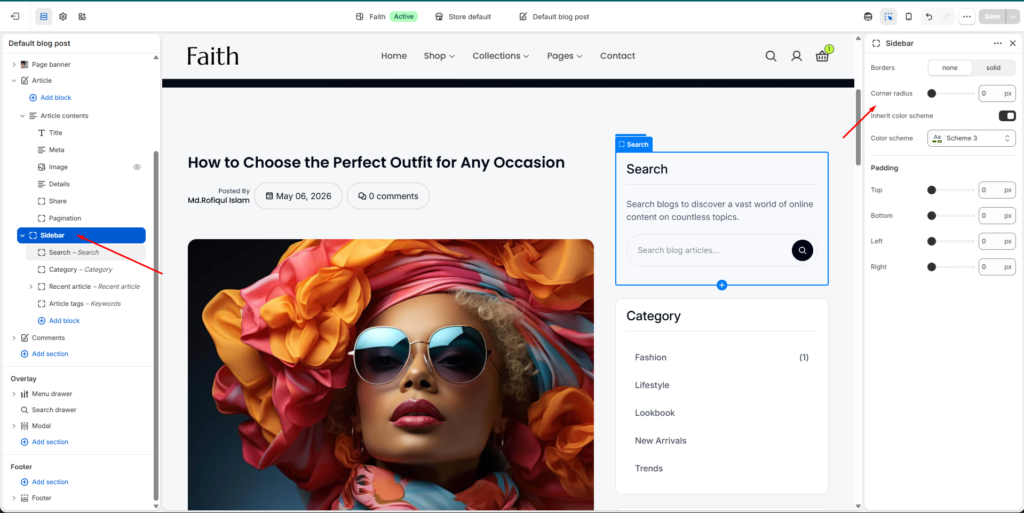
Select Sidebar section.
The sidebar controls the right side content area of the blog article page.
Settings:
| Setting | Description |
|---|---|
| Borders | Enable or disable sidebar item border. |
| Corner Radius | Adjust sidebar card rounded corners. |
| Inherit Color Scheme | Use parent section colors. |
| Color Scheme | Change sidebar background and style. |
Sidebar Padding
Control inside spacing:
| Setting | Description |
|---|---|
| Top | Adjust top spacing. |
| Bottom | Adjust bottom spacing. |
| Left | Adjust left spacing. |
| Right | Adjust right spacing. |
Sidebar Blocks
You can add, remove, reorder, or customize sidebar blocks.
Available blocks:
- Search
- Category
- Recent Article
- Article Tags
Search Block
Select Search block.
This block allows visitors to search blog articles.
Customize:
| Setting | Description |
|---|---|
| Title | Change search heading text. |
| Heading Size | Select heading style. |
| Text | Add description text. |
| Body Style | Choose text style. |
| Size | Adjust search content size. |
Border settings:
- None / Solid border
- Border thickness
- Border opacity
- Corner radius
Padding:
- Top
- Bottom
- Left
- Right
Category Block
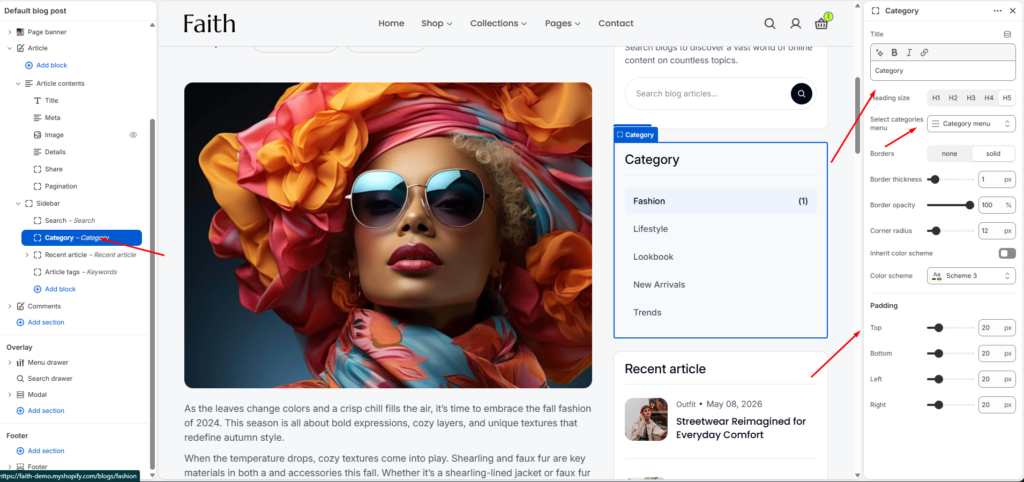
Select Category block.
Shows available blog categories.
Settings:
| Setting | Description |
|---|---|
| Title | Change category heading. |
| Heading Size | Select title size. |
| Select Categories Menu | Choose category navigation menu. |
Style options:
- Border style
- Border thickness
- Border opacity
- Corner radius
- Color scheme
Padding controls:
- Top
- Bottom
- Left
- Right
Recent Article Block
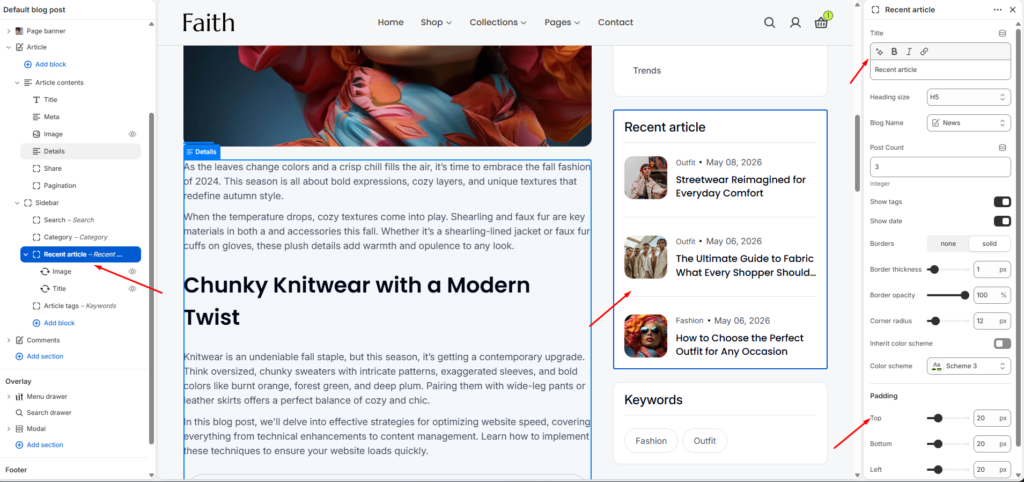
Select Recent article block.
Shows latest blog posts.
Settings:
| Setting | Description |
|---|---|
| Title | Change block heading. |
| Heading Size | Adjust heading size. |
| Blog Name | Select which blog posts show from. |
| Post Count | Number of posts displayed. |
Display options:
- Show tags
- Show date
Design:
- Border style
- Border thickness
- Border opacity
- Corner radius
- Color scheme
Padding:
- Top
- Bottom
- Left
- Right
Article Tags Block
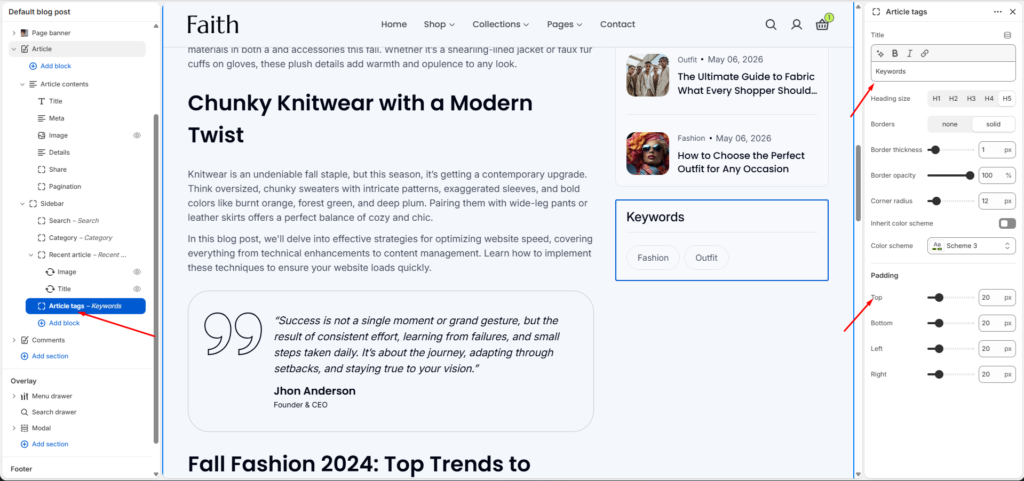
Select Article tags block.
Displays article keywords/tags.
Settings:
| Setting | Description |
|---|---|
| Title | Change tag heading. |
| Heading Size | Choose title size. |
Design controls:
- Border none / solid
- Border thickness
- Border opacity
- Corner radius
- Color scheme
Padding:
- Top
- Bottom
- Left
- Right
Save Changes
After editing:
- Arrange sidebar blocks as needed.
- Check desktop and mobile preview.
- Click Save.
Your Blog Post Sidebar customization is complete.