



How to Access the Featured Blogs Section
- Go to Admin → Online Store → Themes
- Click Customize on your active theme
- Open the Home page template
- Search for and select the Featured blogs section
- Inside this section, you can add:
- Section header
- Multiple article cards
- Images
- Meta information
- Titles
- Descriptions
The Featured blogs section helps you showcase blog articles, fashion news, guides, and promotional editorial content in an attractive blog layout.
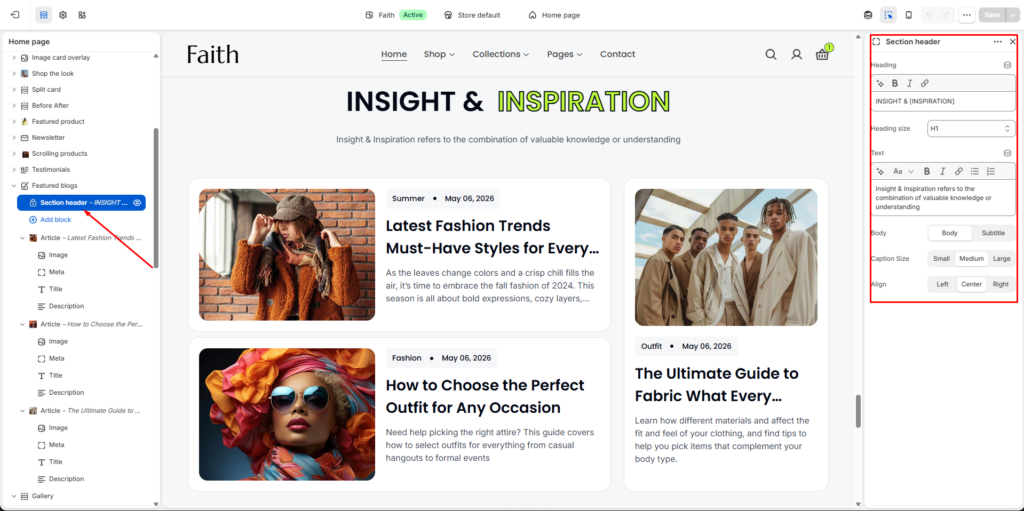
Section Header Settings
The Featured blogs section includes a static section header displayed above the article cards.
| Settings | Description |
|---|---|
| Heading | Add the main section heading or featured blog title. Example: INSIGHT & INSPIRATION. |
| Heading Size | Select the heading size such as H1, H2, or other available heading styles. |
| Text | Add supporting text or short descriptions below the heading. |
| Body Style | Choose between Body or Subtitle text styles for the content. |
| Caption Size | Adjust the text size using Small, Medium, or Large options. |
| Alignment | Control the alignment of the section header content using Left, Center, or Right alignment. |
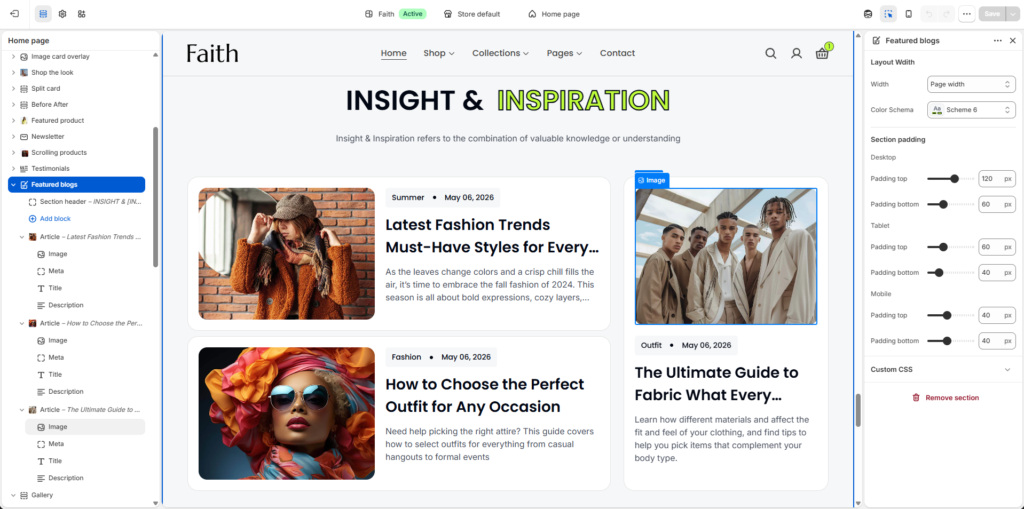
Featured Blogs Section Settings
| Settings | Description |
|---|---|
| Width | Choose the content container width for the Featured blogs section. Available options include Page width and Full width. |
| Color Scheme | Select a predefined color scheme to match your store branding and layout style. |
| Padding Top | Add top spacing separately for Desktop, Tablet, and Mobile devices. |
| Padding Bottom | Add bottom spacing separately for Desktop, Tablet, and Mobile devices. |
| Custom CSS | Add custom CSS styles to further customize the appearance of the Featured blogs section. |
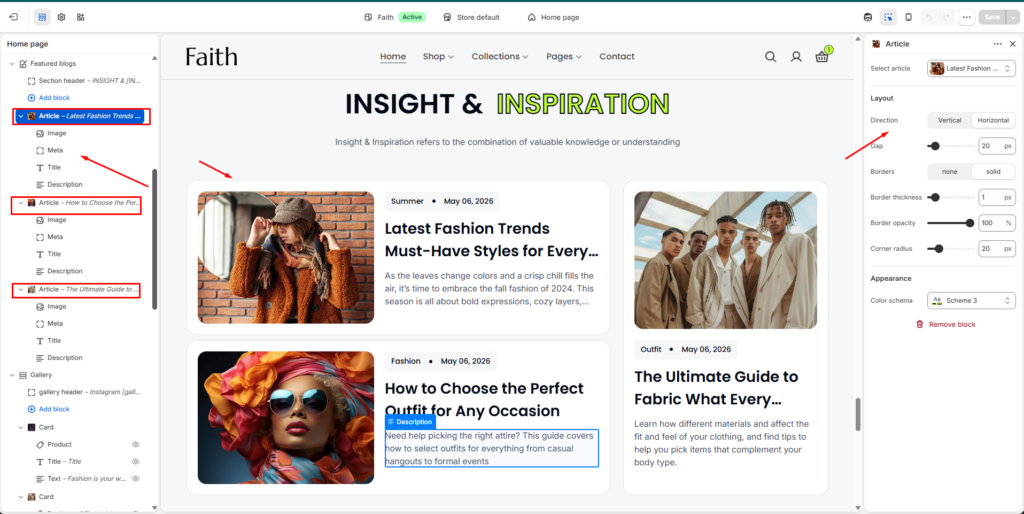
Article Card Settings
Each blog article is displayed inside an article card layout.
| Settings | Description |
|---|---|
| Select Article | Choose a blog article to display inside the card. |
| Direction | Vertical: Display image and content in a stacked layout. Horizontal: Display image and content side by side. |
| Gap | Adjust spacing between the image and content areas inside the article card. |
| Borders | Enable or disable card borders. Available styles include None and Solid. |
| Border Thickness | Control the thickness of the article card border. |
| Border Opacity | Adjust the transparency level of the border. |
| Corner Radius | Control the rounded corner radius of the article card. |
| Color Scheme | Select a predefined color scheme for the article card appearance. |
| Image Block | Display the featured image of the selected blog article. |
| Meta Block | Show article metadata such as category, tags, or publish date. |
| Title Block | Display the blog article title. |
| Description Block | Display a short article summary or excerpt inside the card. |
| Responsive Layout | The Featured blogs section automatically adjusts layouts for desktop, tablet, and mobile devices. |
| Remove Block | Remove the selected article card block from the section. |