



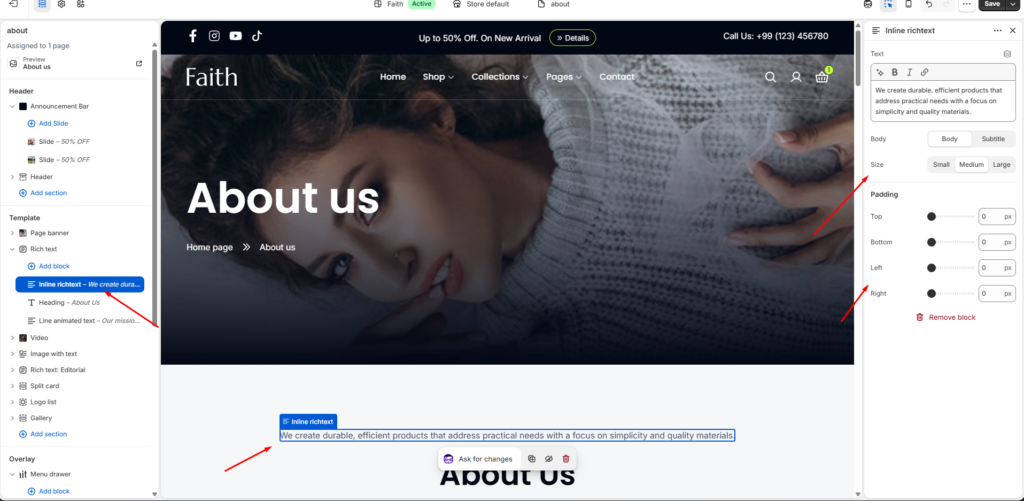
Inline Rich Text Block Settings
| Settings | Description |
|---|---|
| Text | Add inline formatted text content, descriptions, captions, or promotional messages. |
| Text Style | Choose the text style. Available options include Body and Subtitle. |
| Size | Adjust the inline text size. Available options include Small, Medium, and Large. |
| Padding Top | Adjust the top spacing around the inline rich text block. |
| Padding Bottom | Adjust the bottom spacing around the inline rich text block. |
| Padding Left | Adjust the left spacing around the inline rich text block. |
| Padding Right | Adjust the right spacing around the inline rich text block. |
The Inline Rich Text block allows you to add flexible formatted text content inside a section. You can use it for descriptions, announcements, promotional messages, or supporting information with customizable text style, size, and spacing.