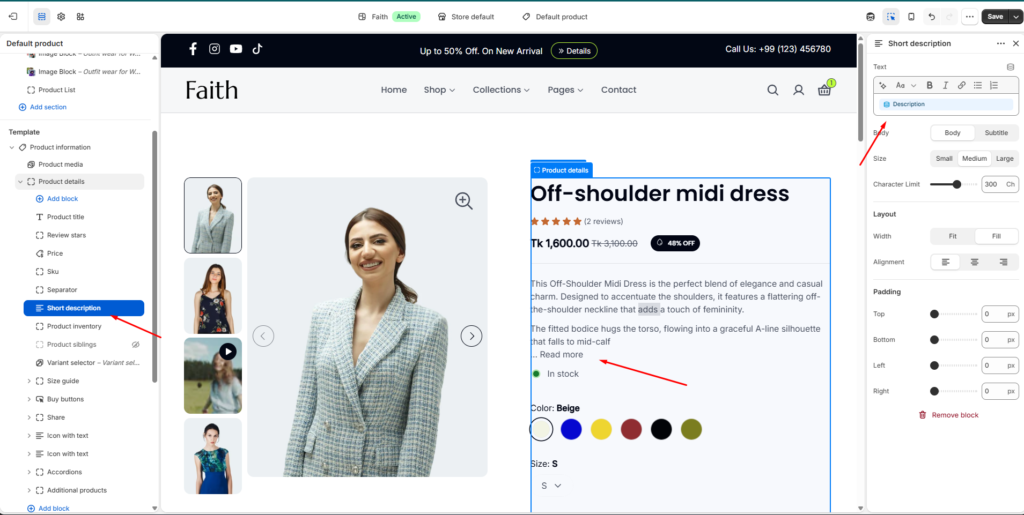
Customize product short description text, style, layout, and spacing
The Short Description block allows you to display a brief product summary below the product price or product information area. It helps customers quickly understand the main details of the product.
Short Description Block Settings
Settings
Description
Text
Add or edit the short product description content using the rich text editor.
Body Style
Select text style between Body or Subtitle.
Size
Adjust description text size. Options: Small, Medium, Large.
Character Limit
Control the maximum number of characters displayed before the read more option appears.
Layout Settings
Settings
Description
Width
Adjust the description block width. Options: Fit or Fill.
Alignment
Control text alignment. Options: Left, Center, Right.