Black Friday Sale
Exclusive Design & Shopify Themes Resources
Hire us Hire Us
View Categories

How to add complementary products

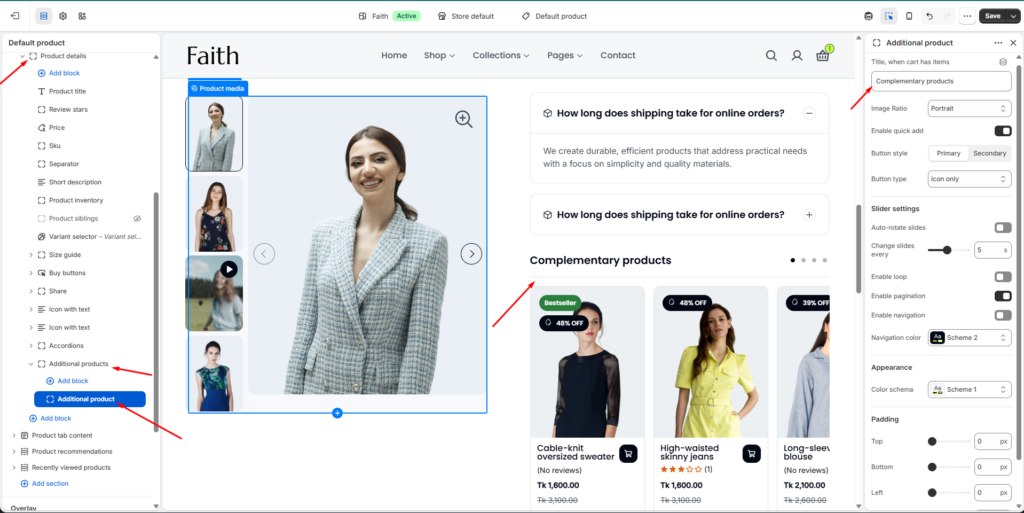
How to Access the Additional Products Section

Admin → Online Store → Themes
Customize
→ Open Default product template
→ Select Product details section
→ Add / Select Additional products block

This block displays Complementary products on the product page. You can manually select products from the Shopify Search & Discovery app to recommend items that customers may buy together.

How to Add Complementary Products

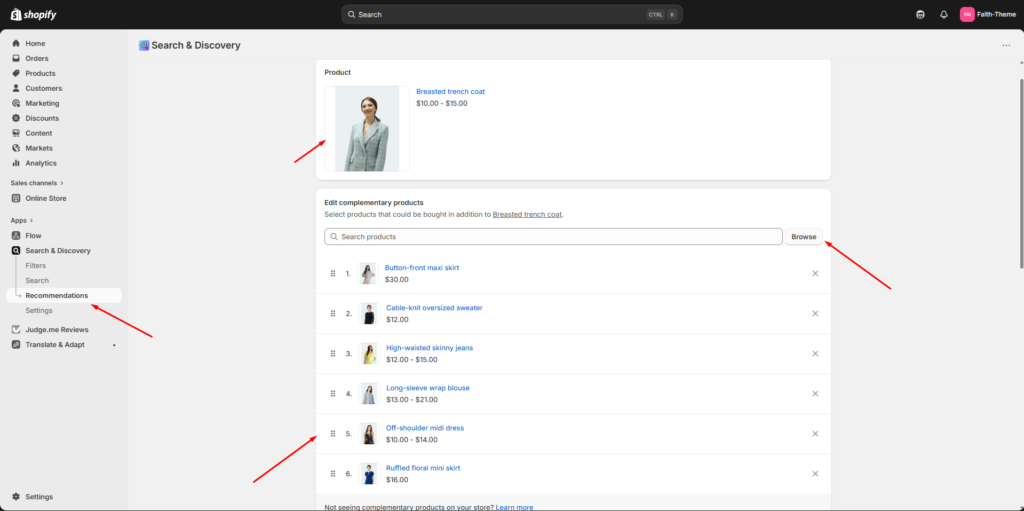
Admin → Apps
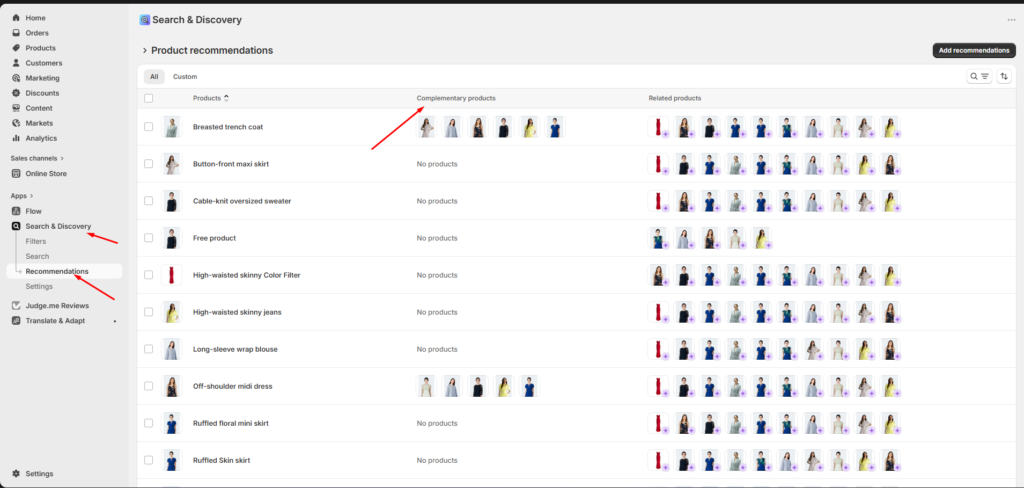
→ Open Search & Discovery
→ Click Recommendations
→ Select a product
→ Click Add recommendations / Browse
→ Choose complementary products
→ Save changes

Additional Products Block Settings

SettingsDescription
TitleAdd heading text for the complementary product block
Image ratioControls product image display ratio
Enable quick addShow quick add button on product cards
Button styleSelect primary or secondary button design
Button typeChoose button display style like icon only

Slider Settings

SettingsDescription
Auto-rotate slidesAutomatically move product slider items
Change slides everyControl slider autoplay speed
Enable loopRepeat slider items continuously
Enable paginationShow slider pagination dots
Enable navigationDisplay slider navigation arrows
Navigation colorSelect color scheme for navigation controls

Appearance Settings

SettingsDescription
Color schemeChange block colors based on theme color settings

Padding Settings

SettingsDescription
TopAdjust top spacing of the block
BottomAdjust bottom spacing of the block
LeftAdjust left spacing of the block
RightAdjust right spacing of the block

Frontend Display

FeatureDescription
Complementary productsShows selected recommended products
Product sliderDisplays products in carousel layout
Quick addAllows customers to add items faster
Product cardShows product image, title, price and badges