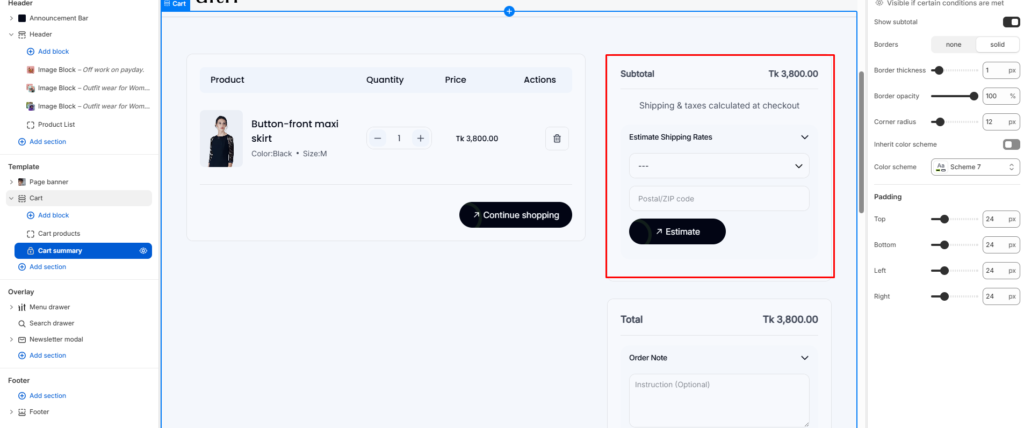
Configure the shipping calculator to help customers estimate delivery costs before checkout.
How to Enable Shipping Calculator
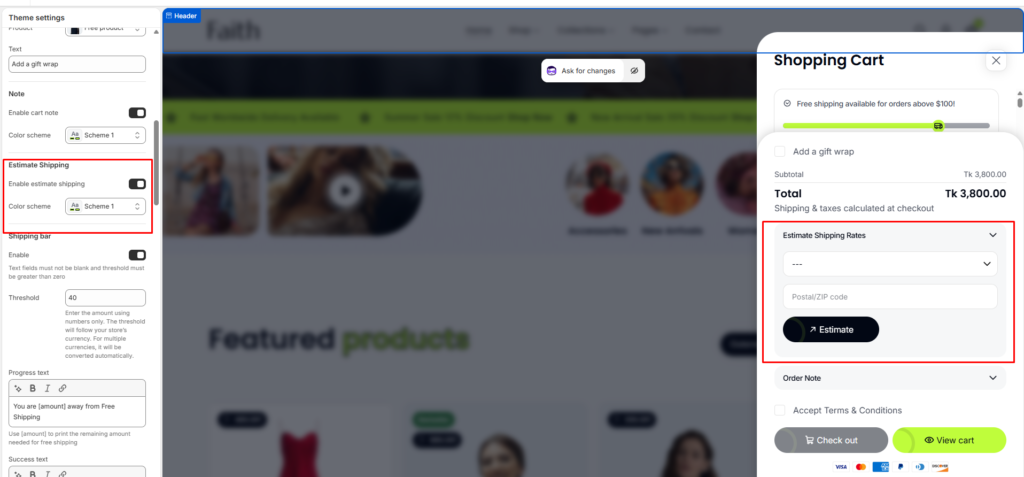
- Go to Shopify Admin > Online Store > Themes
- Click Customize on your theme
- Navigate to Theme Settings > Cart
- Enable “Enable estimate shipping”
- Click Save
Edit Shipping Calculator Label
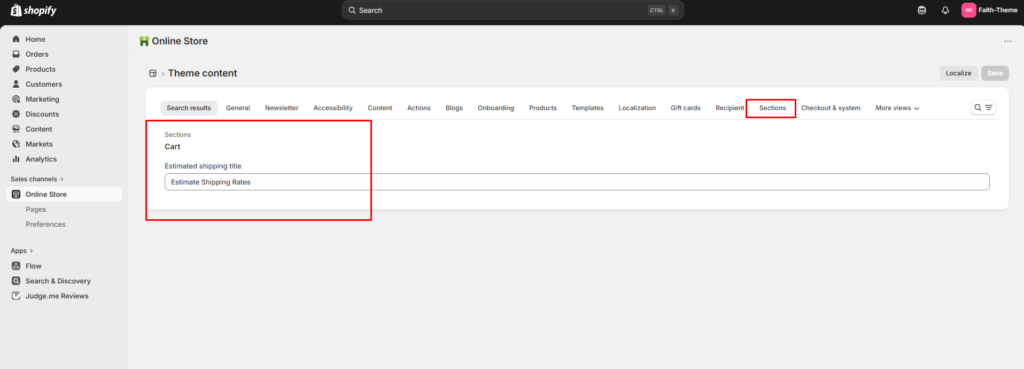
Change the default label text that appears with the shipping calculator:
- Go to Shopify Admin > Online Store > Themes
- Click Actions > Edit languages
- Navigate to Cart> Shipping calculator
- Enter your new label text
- Click Save
Configure Cart Page Display
Control whether the shipping calculator appears on your cart page:
Go to Shopify Admin > Online Store > Themes
Click Customize on your theme
Navigate to Theme Settings > Cart
Enable “Enable estimate shipping”
Click Save