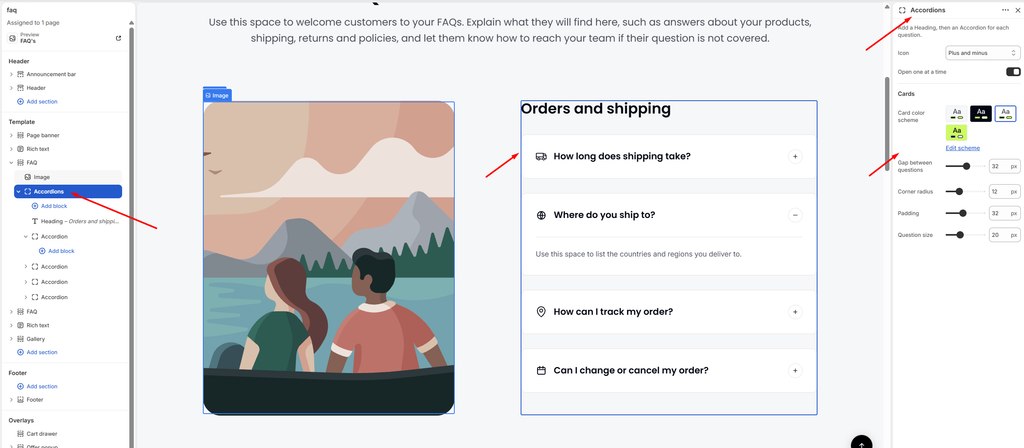
Accordions Block Settings
The Accordions block holds the questions. Add a Heading block first, then one Accordion block for each question. The settings here control how every question card in the group looks and behaves.
| Settings | Description |
|---|---|
| Icon | Choose the open and close icon shown on each question. Options include Plus and minus and Chevron. |
| Open One at a Time | When this is on, opening a question closes the one that was open, so only one answer shows at a time. |
| Card Color Scheme | Select a predefined color scheme for the question cards. |
| Gap Between Questions | Adjust the spacing between the question cards (0–60 px). |
| Corner Radius | Customize the rounded corners of the question cards (0–40 px). |
| Padding | Adjust the spacing inside each question card (12–60 px). |
| Question Size | Set the font size of the question text (14–32 px). |