Quick view lets shoppers preview a product — image, price, and an add-to-cart button — without leaving the collection page.
Before you start
- From your Shopify admin, go to Online Store > Themes.
- Next to the theme you want to edit, click Customize.
- In the left-hand panel, click Theme settings, then select Product cards.
Everything below applies inside this Product cards panel.
Turning on quick view
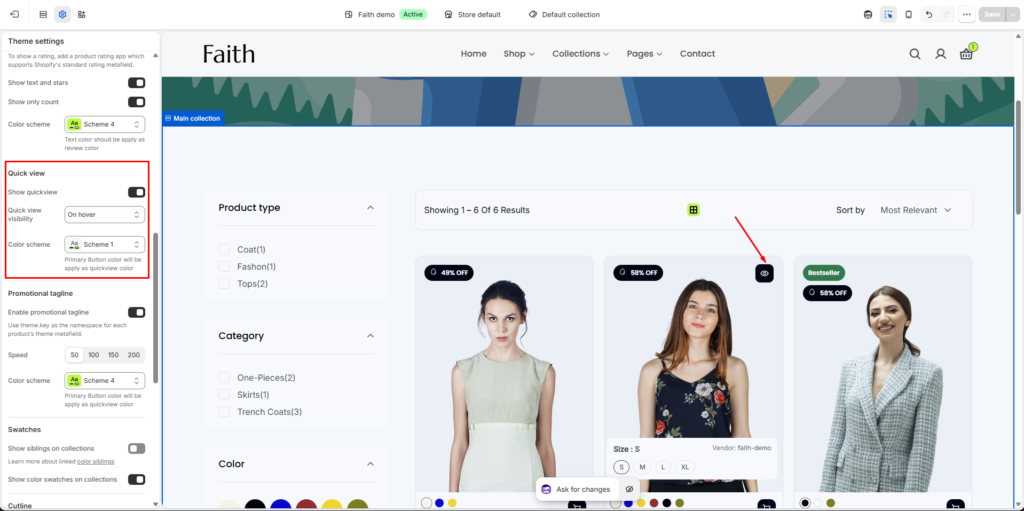
- Turn on the Show quick view toggle.
- Click Save in the top-right corner of the editor.
Troubleshooting
Quick view button not appearing on product cards? Confirm you’re editing the theme currently published as your live theme, not a draft or duplicate.
Quick view opens but shows no image? Make sure the product has at least one image assigned — quick view pulls from the product’s primary image.